Edit any photo by describing the change
Three ways to change a picture you already have: rewrite the whole scene, brush over one thing and swap it, or push past the edges of the frame. You type what you want; no layers, no masks, no selection tools to learn.
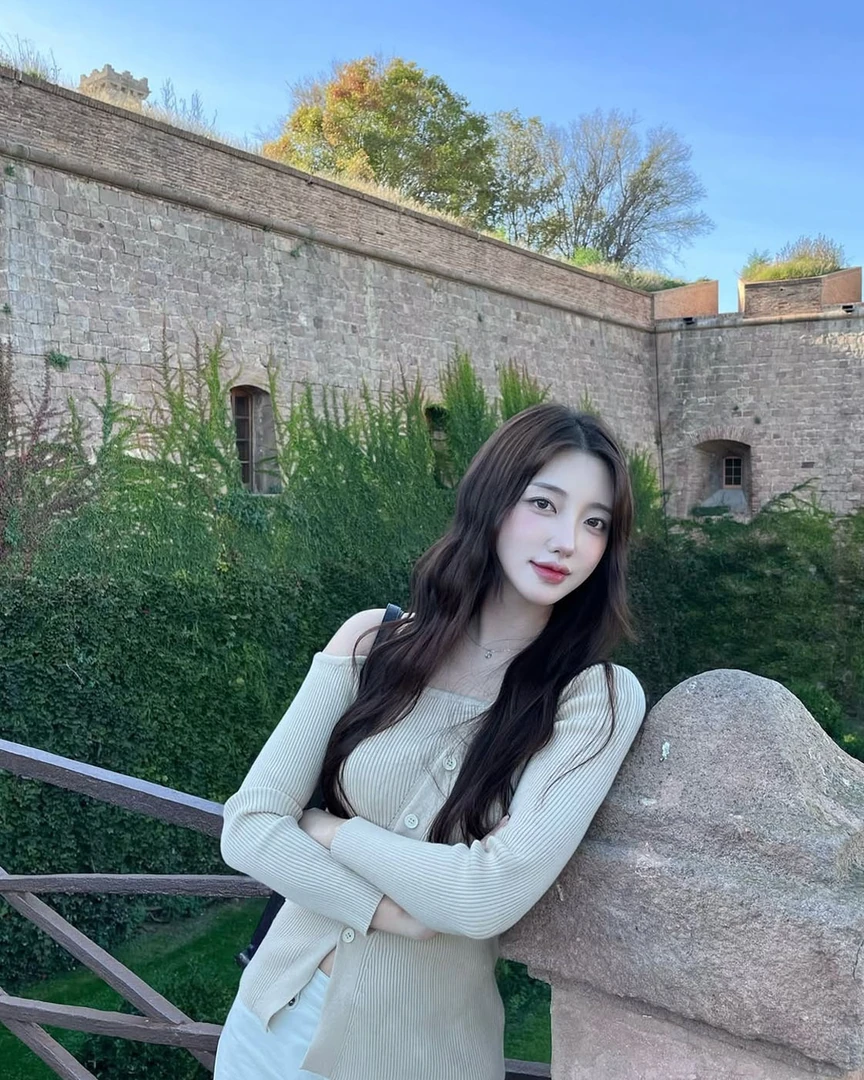
Change the whole scene at once
Describe the picture you wanted and the entire frame is regenerated to match — a different location, a different time of day, a different season. The subject stays recognisably themselves.
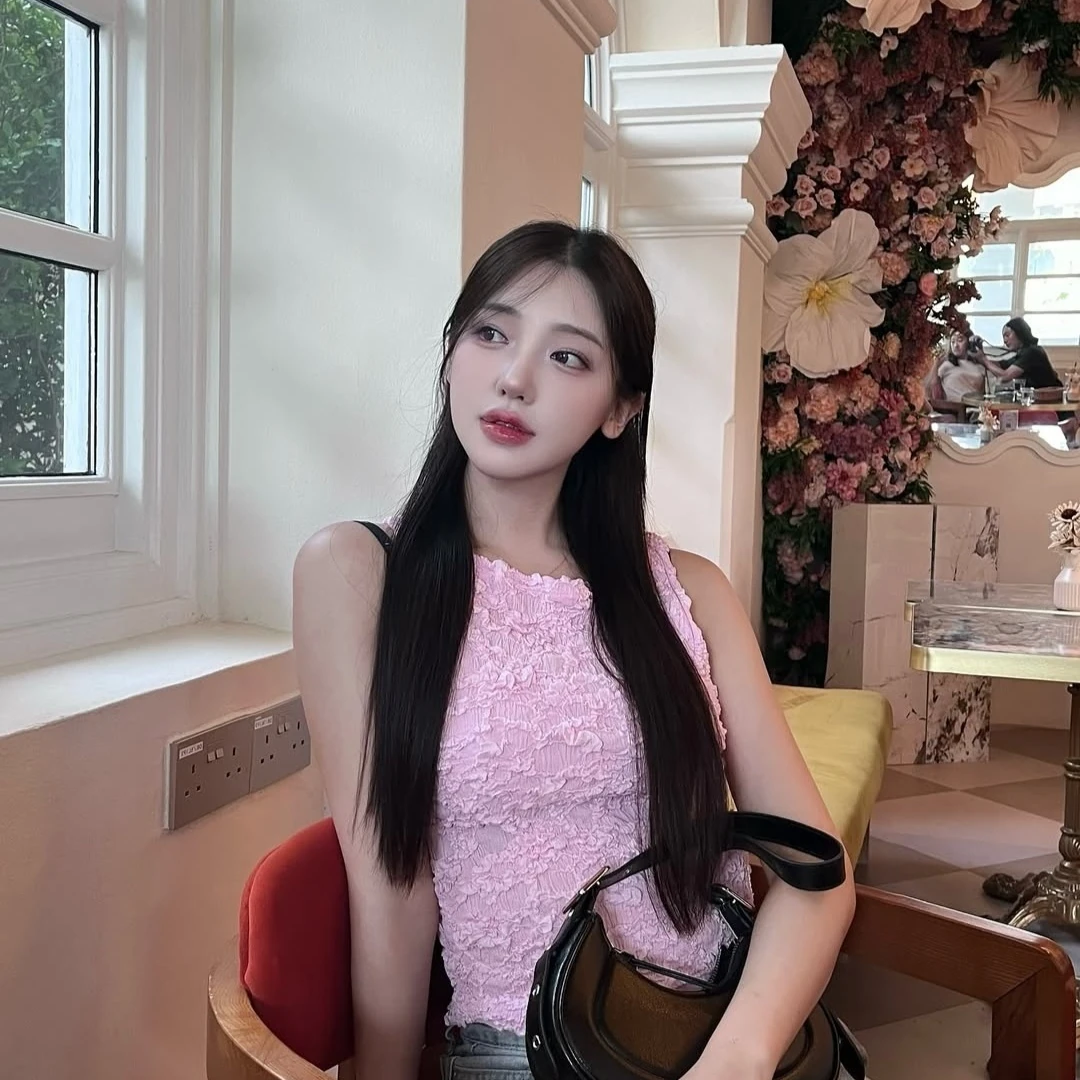
Brush over one thing and replace it
Paint roughly over what you want gone or changed, then say what belongs there instead. Useful for the stranger in the background, the sign you did not notice, the jacket you wish you had worn.
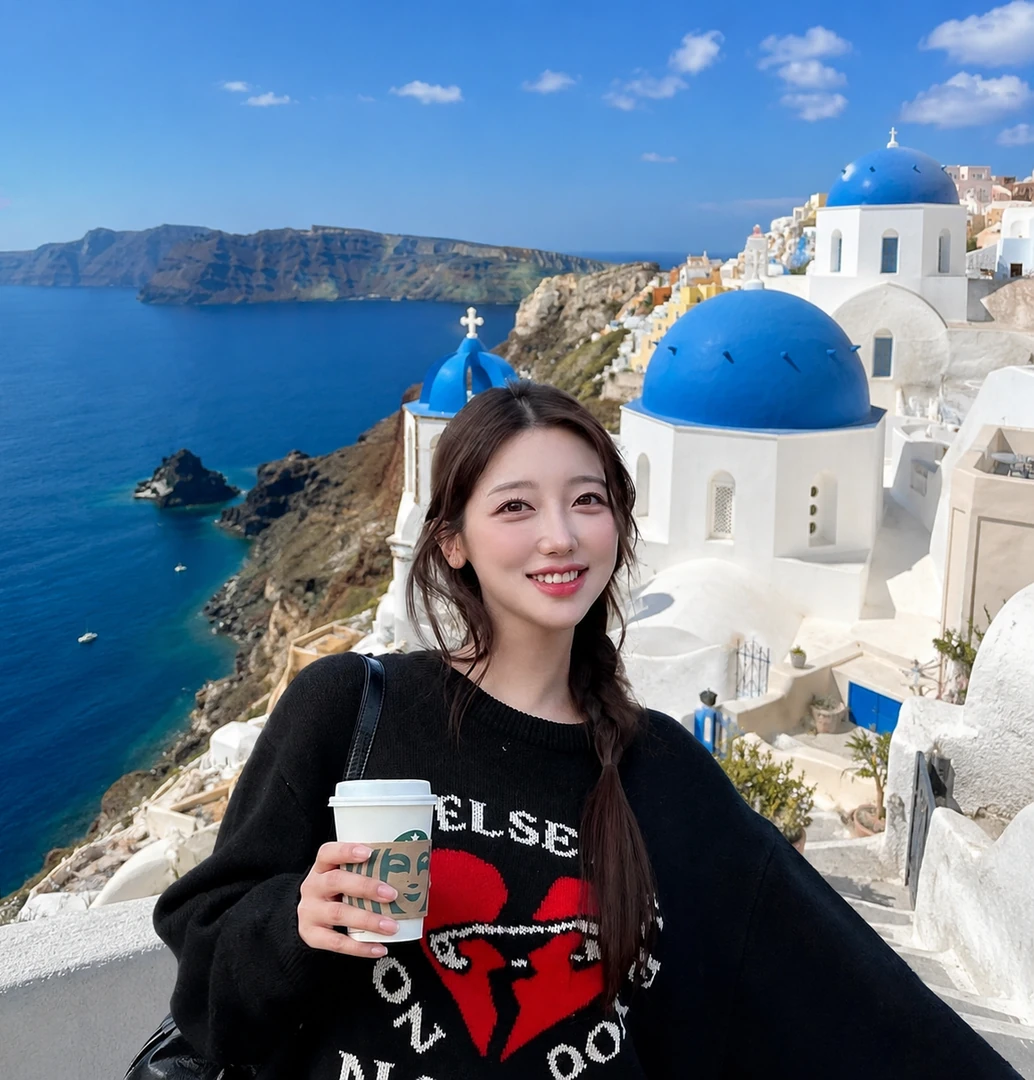
Expand a photo past its own edges
Extend a crop outward and the missing surroundings are generated to match the light and perspective already in the shot. Turns a tight portrait into something you can actually crop for a banner.
What people fix with it
The photobomber
Someone walked through the best shot of the trip. Brush over them and the background closes up behind.
The wrong background
Good photo of you, dull room behind. Rewrite the scene without rewriting your face.
The crop that is too tight
A phone photo that has nowhere to put a headline. Expand the frame outward instead of scaling and losing detail.
The detail you keep noticing
A stray cable, a scuffed wall, a logo you cannot use commercially. Paint over it and describe what should be there.
Common questions about editing
- Do I need to train a face model to edit a photo?
- No. Editing works on any photo you upload — a phone snap, an old picture, something you generated here earlier. Training a face model is only needed when you want new photos generated of you specifically.
- Can I edit a photo I did not take?
- Only if you have the right to use it. Editing someone else's photograph, or a picture containing someone else's face, needs their permission — the same rule that applies to generating with a face that is not yours. See our FAQ on consent.
- How precise does my selection have to be?
- Rough is fine. Brush loosely over the area and the model works out the actual boundary from the picture. You are pointing at something, not cutting it out.
- Will editing change the rest of the picture?
- Edit Selection and Expand Photo leave the untouched parts of the photo alone. Edit Whole Photo regenerates the entire frame by design, so use it when you want the whole scene to change.
- What does an edit cost?
- Edits use the same credits as generating a photo, and every new account starts with free credits. Current prices are on the pricing page and in the app.
Related: Templates · AI headshots · Pricing
Make your first photos free
Free credits on every new account, on iPhone, Android and the web.